What is WEEE compliance?
Electronic waste (e-waste) is one of the fastest growing waste streams today, with the UK generating 1.7 million tonnes* per year. As our reliance on electronic devices such as laptops, desktops, mobiles, and office equipment increases, so does the importance of responsible IT equipment disposal in the UK.
When devices become faulty or outdated, the vast majority are simply disposed of, adding to the mounting electronic waste (e-waste) in landfills. This creates even more WEEE (Waste Electrical and Electronic Equipment). Effective responsible IT asset disposal in the UK is crucial to reduce environmental impact and support a sustainable future.
With rapid technological advancements, upgrading IT infrastructure, and increasing regulations on WEEE compliance, adopting eco-friendly electronics recycling solutions is more important than ever. If we don’t all start to reduce, reuse, and recycle electronic devices, this is only set to get worse. We all have a role in minimising e-waste in the workplace, supporting the planet, and reducing demand for resource-intensive manufacturing
What do companies do with old electronic devices?
According to Sue Owens, Head of Supply Chain Services at Wavenet: “There isn’t a single answer to the climate crisis, or how we can recycle our way out of trouble, but responsible electronic device recycling and secure data destruction are essential parts of the solution. We need to look at all methods of recycling. Even the smallest contribution in reducing e-waste in the workplace adds up to be part of the bigger picture.”
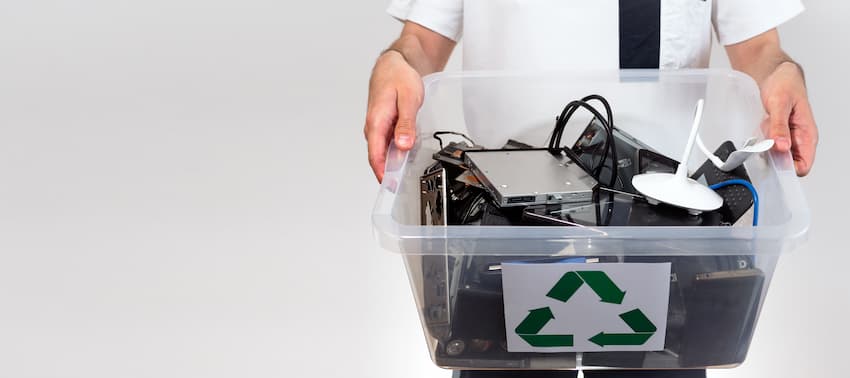
Recycling old laptops, mobiles, and other IT hardware not only helps manage the rising tide of end-of-life equipment recycling but also ensures compliance with WEEE directives. Proper certified electronic waste disposal providers help companies turn obsolete devices into environmentally safe recyclables or components, reducing the need for raw material extraction.
Sue continues: ”The more organisations recycle, the less we need to mine. While the mining industry is a major contributor to planet-warming emissions, it also holds the key to a net-zero future. We don’t need to extract more – we need less. As clean energy and EVs expand, the total amount of materials mined will actually decrease, and we can significantly reduce reliance on coal that still fuels the industry’s revenues. Less mining, more sustainability – that’s the future we must build.
To make a difference, it’s up to organisations to recycle whatever we can; however, data destruction is critical to the security of your business. Compliance with the WEEE directive and recycling units back into the market, either as components, or broken down into their elements is a huge contributor.”
How do businesses recycle computers and phones?
Creating an effective end-of-life IT equipment recycling process starts with identifying and securely disposing of old devices like laptops, mobiles and other IT hardware throughout your business. By recycling devices, not only are you reducing overall emissions by lowering the demand for additional manufacturing, you’ll also be increasing the availability of parts, resulting in long term cost savings.
As Sue mentions, security is paramount. It’s not enough simply to recycle devices – those that carry sensitive data will need to be processed to ensure no information can be retrieved once it is repurposed. Secure data destruction and device recycling services ensure all sensitive information is irretrievably wiped before recycling or disposal, preventing data breaches and maintaining compliance.
Why is device recycling important to your organisation?
Recycling your devices isn’t just about the warm fuzzy feeling of knowing you’re making a positive change – it’s also in your best interests. Having a robust IT asset disposal strategy in place will help you to maintain long-term sustainability for your organisation, allowing you to stay ahead of inevitable future environmental legislation, and boosts your ESG performance.
You can also protect your organisation against the risk of fines and reputational damage that might come from not making adequate efforts to be environmentally sustainable. Reputation is always difficult to put a price on, yet recent studies by Larato show that organisations that can evidence a strong environmental, social and governance (ESG) performance are given a competitive advantage with key decision makers. Meeting your stakeholder’s expectations is also central to maintaining trust and loyalty – whether that’s in relation to consumers, investors, or employees.
An often-unforeseen benefit of device recycling is that some organisations discover new ways of enhancing their resource utilisation. In turn, this reduces operating costs, positively affecting their bottom line.
What if you don’t have the resources for device recycling?
Not every organisation has the time, manpower, knowledge, or access to facilities to manage e-waste recycling and data destruction in-house. That’s where trusted providers like us come in. We offer fully certified IT equipment disposal and data destruction services, handling everything from collection to safe recycling or resale, all in compliance with UK regulations.
We can support your entire IT asset disposal programme, whether for a single device or for your whole IT estate, and help you meet your ESG objectives by responsibly refurbishing or recycling devices to recover residual value. It can also be used in conjunction with vendor trade-in programmes.
As Sue Owens explains: “You simply need to identify the assets you want to recycle. We’ll then do the rest, from waste transfer notes to secure transport, data destruction and processing. Many of our customers who recycle their IT every three to four years start to see that the service has either become cost neutral or has even started making them a profit.”
Ready to make a difference?
Explore our responsible electronic device reuse, recycling, and disposal service here. If you'd rather discuss your specific needs, contact one of our specialists on 0333 234 0011 or email us at: contact@wavenet.co.uk.
You may also be interested in our blog: Electronic waste recycling 101