A pupil’s review of Bett by Billy H, year 5

30/01/26 Wavenet
A pupil’s review of Bett by Billy H, year 5 placeholder thumbnail

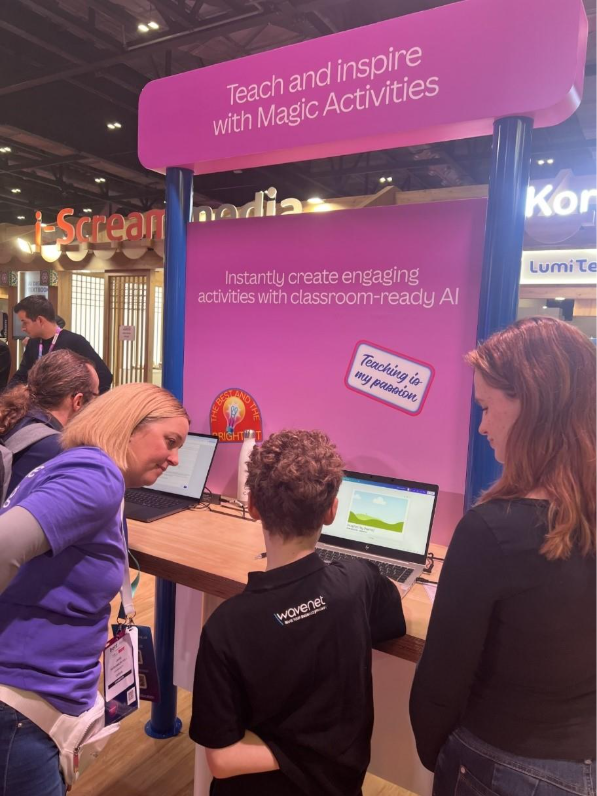
I’m in Year 5 and this was my second time visiting Bett, and I think it might be one of the coolest places ever. There were loads of new gadgets, games, and learning tools to try out, and everything made school feel like it could be a massive adventure.

SMART Board & Lumio – Lessons made in under a minute
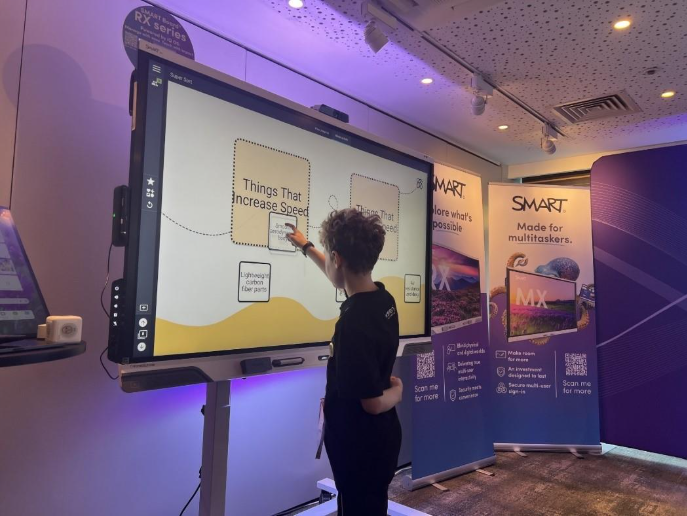
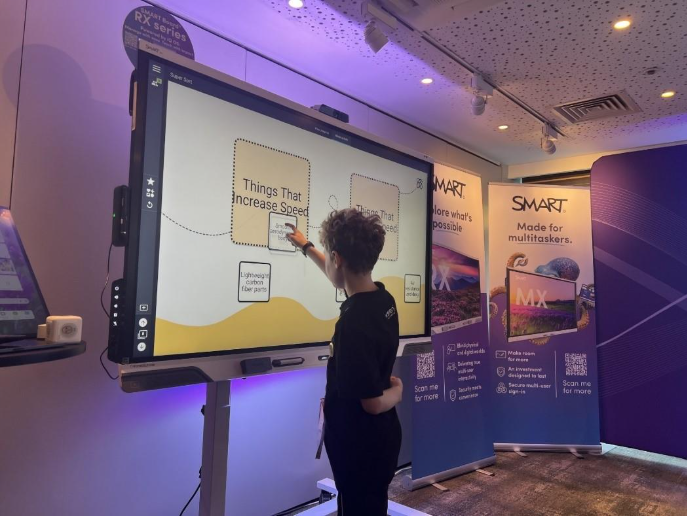
First, I tried a SMART Board that was using software called Lumio, and it was honestly amazing. Mark from SMART showed us how he could make a whole lesson in less than a minute using Lumio’s AI tools. He typed in an idea about the science behind Formula One cars, and the lesson suddenly appeared with activities, things to drag around, and videos built in. It was because Lumio can make full interactive lessons from a simple prompt, which must save teachers loads of time!

What I liked most was that the board wasn’t just for the teacher. More than one of us could use it at the same time, so me and my sister worked together to move things around and helped each other. It felt more like teamwork than normal schoolwork.

There were also quick activities the teacher could start with one click, like polls or little quizzes, which made the lesson feel fast and fun. The whole thing made me wish we had a SMART Board with Lumio in our classroom, because then we could work together instead of on our own. It made learning feel more like playing, but I was properly learning at the same time.

Minecraft Education – Soane’s portals to the past
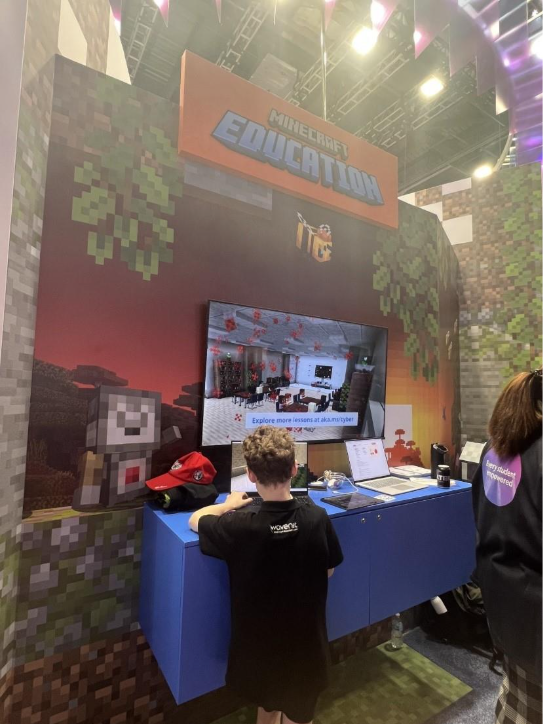
Next, I tried the brand-new Minecraft Education world called Soane’s portals to the past. When the demo started, I appeared right outside Sir John Soane’s Museum in London, and straight away I met Fan – Sir John Soane’s dog, who became my guide.

Fan ran around showing me important things, but sometimes he sprinted off so fast that it became a fun challenge just trying to keep up with him! I had to follow him through corridors, past displays, and towards special artefacts that worked like magical portals.

Each artefact took me to a different ancient world:

  • Ancient Egypt
  • Ancient Greece
  • Ancient Rome

You could choose which civilisation to visit first, which made it feel like a proper adventure game.

In the Ancient Egypt area, I had to paint the pillars using the right colours. It felt like solving a puzzle, and I didn’t realise how bright and bold Egyptian buildings were until I tried copying the patterns myself.

In the Greek and Roman sections, I learned about different types of columns by putting the pieces in the correct order. I didn’t need a teacher to explain it, the game made me notice the differences just by building them. It made history feel hands on and exciting rather than something you just read in a book.

It didn’t feel like a lesson at all. It felt like time travel, problem solving, exploring, and creating all at once.
Canva – art printed on a real bag!

Another thing I loved was the Canva design station. I created a picture of an alien driving a Formula One car, something I’d never be able to draw by hand. It was so easy to add colours, shapes, words and special effects.
Then they printed my design onto a real bag! I gave it to my big sister and she loved it. I felt really proud because it looked like something you’d buy in a shop.

Did you know that Canva is free for all teachers!

What I loved most about Bett is that nearly everything I tried made learning feel fun, interactive, and like something you want to do. All the technology showed how lessons can be more like games, full of teamwork, creativity, and exploring.

I think every teacher should visit Bett because you get loads of brilliant ideas for using technology in new ways.

If you’re interested in any of the education solutions mentioned in Billy’s review, visit our education home page. Or if you’d like to see how these technologies work in action, check out our Edukos Trust case study, or our other education case studies.


Education, Technology for Education, Blogs

Latest blogs

See all posts
Placeholder thumbnail
What is cloud computing and how it benefits businesses

If you stream films on Netflix or check your email from anywhere in the world, you’re already using the cloud. But for large enterprises, cloud computing is far more than consumer convenience - it’s the foundation for operational agility, cost optimisation, and long‑term resilience. Today, the cloud underpins digital transformation across every industry. It removes the limits of traditional on‑premises infrastructure, replacing them with scalable, secure, and cost‑efficient services delivered over the internet. So, what is cloud computing really? Think of it like a global utility grid Just as organisations don’t generate their own electricity, they no longer need to build and maintain vast IT estates to power their operations. Instead, they plug into a global network of hyperscale data centres and pay only for the capacity they consume. This model transforms IT from a capital‑intensive function into an agile, consumption‑based platform that can grow or shrink instantly with business demand. Demystifying “the cloud”: what it actually is Despite the name, the cloud isn’t ethereal. It’s built from thousands of enterprise‑grade servers housed in heavily protected data centres around the world. These provide: Always‑on global availability Enterprise‑grade physical security Redundant power, cooling and connectivity High‑performance compute and storage resources Instead of storing your data on a single device or server, the cloud stores information across these resilient environments, enabling global access, multi-layer redundancy, and seamless continuity. Reducing enterprise IT costs without compromising capability Historically, enterprises spent heavily on hardware refresh cycles, data centre space, maintenance, and large support teams. Cloud computing removes these constraints. With a cloud operating model, organisations can: Shift from CapEx to OpEx Subscribe to the compute, storage and applications you need - instead of owning hardware. Avoid hardware lifecycle management Infrastructure is continuously refreshed by the cloud provider. Optimise usage Pay only for what you consume, with autoscaling to manage peaks and troughs. Reduce hidden overheads Power, cooling, physical security, patching and maintenance are no longer your responsibility. For large organisations with complex estates, this delivers predictable budgeting and measurable savings. Resilience and data protection: your always‑on safety net Enterprise outages can halt business operations. Traditional on‑premises infrastructure creates single points of failure. Cloud architecture removes this risk with: Built‑in geo‑redundancy Automated backups Multi‑site replication High availability by design If a device is lost, a server fails, or a site experiences disruption, your systems and data remain secure and accessible. This ensures continuity, protects reputation, and reduces recovery time dramatically. Scalability at enterprise scale: power for any demand Scalability is essential for large organisations with fluctuating workloads or global operations. Cloud platforms automatically scale to handle: Seasonal or event‑driven spikes Large-scale data processing Rapid user onboarding Global expansion Capacity expands the moment it’s needed - and scales back down afterwards - allowing enterprises to stay agile and cost‑efficient. Enabling hybrid work and seamless collaboration Enterprise teams are now spread across regions, countries and time zones. Cloud‑based collaboration tools eliminate version control issues and data silos. With cloud productivity solutions: Teams work from a single source of truth Multiple users can co-edit in real time Permissions and governance are centrally managed Hybrid workers get the same consistent experience This dramatically improves operational efficiency and supports a modern, flexible workforce. The cloud isn’t the future - it's the enterprise advantage today For large organisations, the cloud delivers: Lower infrastructure costs Stronger resilience and security Rapid scalability Higher productivity and collaboration Simpler hybrid working Freedom from legacy limitations It’s not a future trend - it’s the foundation of modern business.

Read more

Stay service-savvy

Get all the latest news and insights straight to your inbox.